Free to start · Mobile field communication · Desktop coordination
Every team in reachOne press to connect
01 / Talk like a radio
02 / See the whole picture
03 / Move as one team
Who it serves
Coordination for the teams doing the work.
From hunting parties and search and rescue volunteers to storm support and event crews, FieVol keeps people in the field and at the desk on the same page.
Select a team to see how FieVol fits
Illustrative scenes
01 / Hunters & outdoor groups
Stay connected across the field.
Keep a hunting party on group and team channels while members choose whether to appear on the shared map.
Team A · Zone 1Team A · Zone 2Field members · shared
Shared position Team zones
Pro map and zones. Positions appear only when members choose to share.
A look inside
Four tabs. One team.
Tap the icons at the bottom of the phone to explore the mobile app.
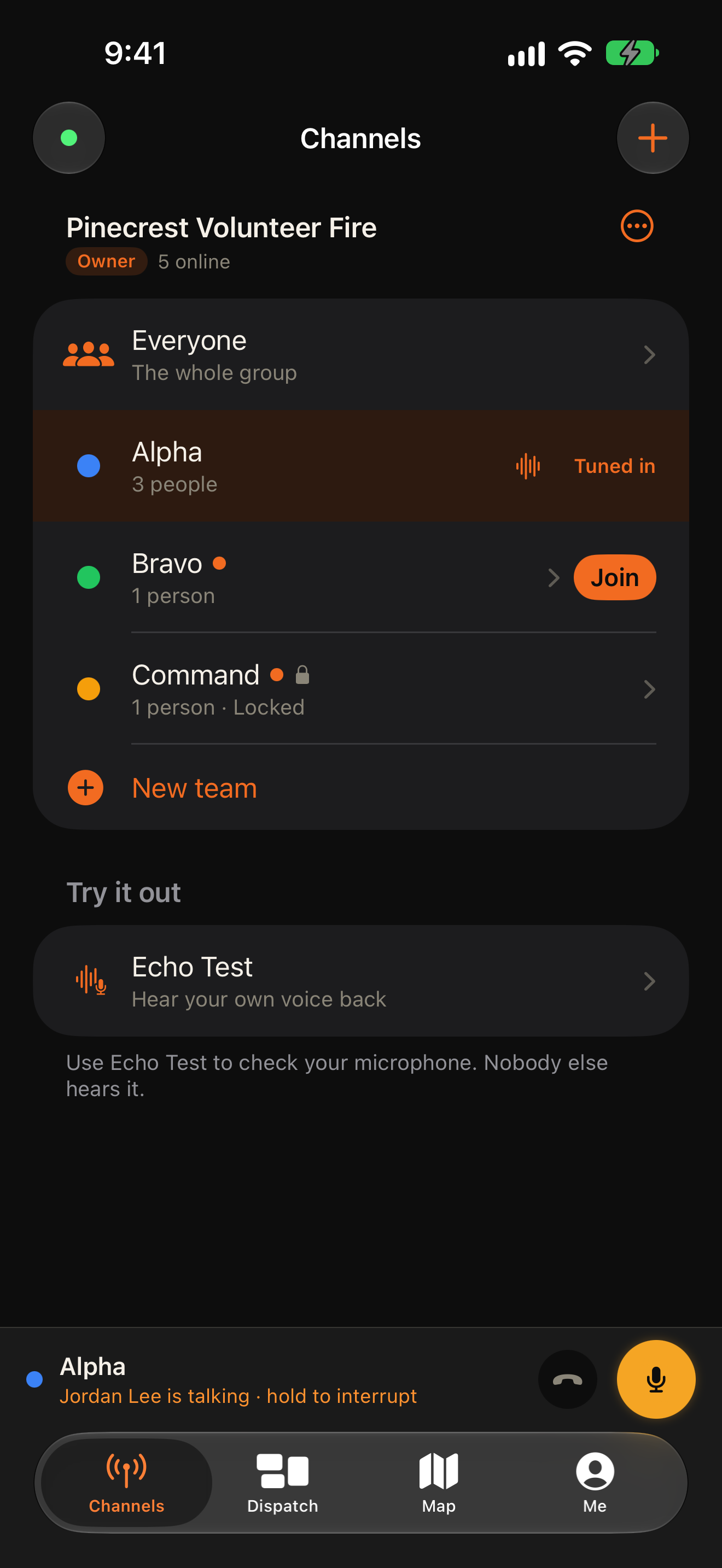
01 / 04 — CHANNELS
Everyone on the same channel.
Find your group and teams, tune in and see who is on the air.
Interactive preview · Me screen is illustrative · Available features depend on your role and plan
Tap a tab
What you can do
The tools to stay in step.
Talk in the field, understand the map and coordinate from a browser.
01 / COMMUNICATE
Talk to the right people. Right now.
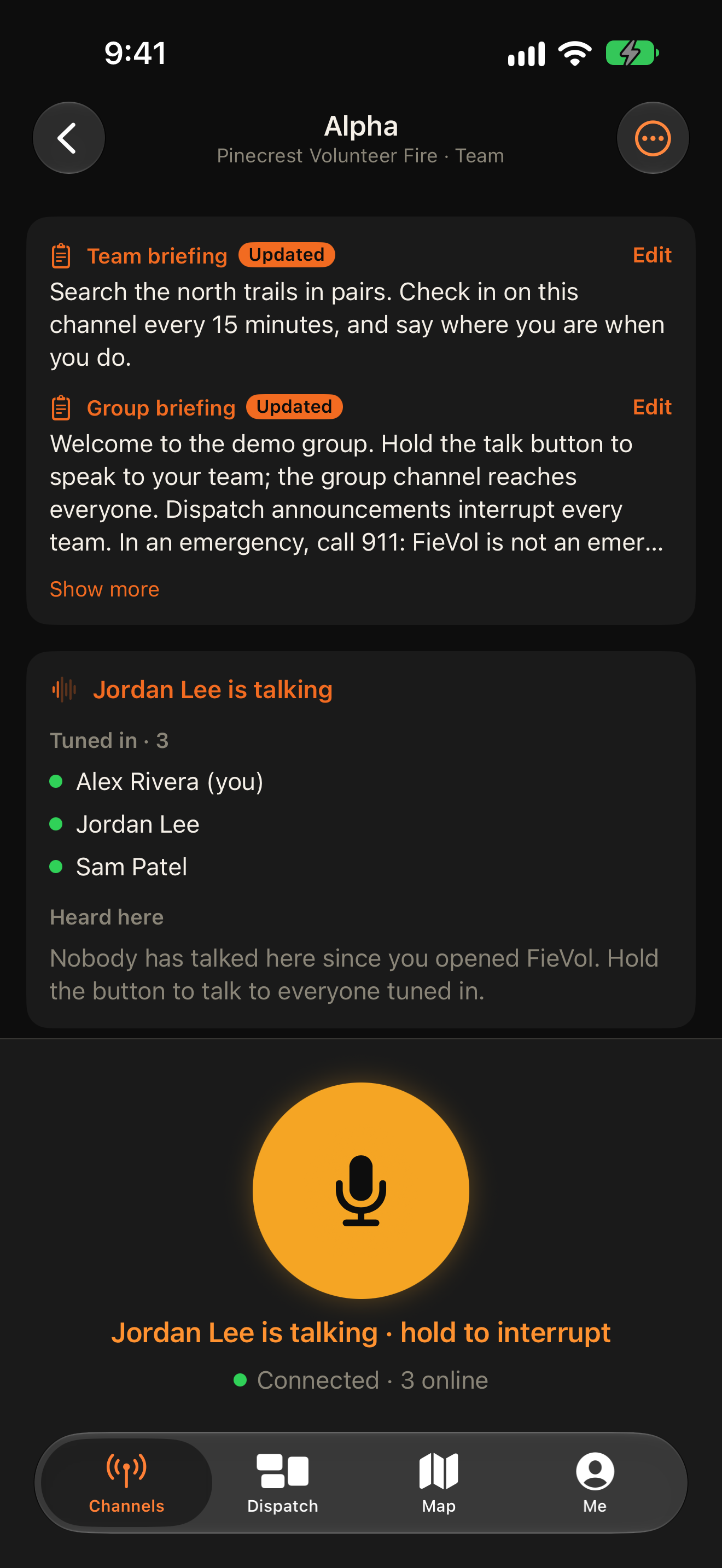
Hold the button and your team hears you live. Use a group channel for everyone or a team channel for focused work.
✓Mobile push to talk across team channels
✓Talk and listen from the lock screen when enabled on supported iPhones
✓Group announcements that reach every team
✓Briefings where the team can find them
02 / FIND YOUR TEAM
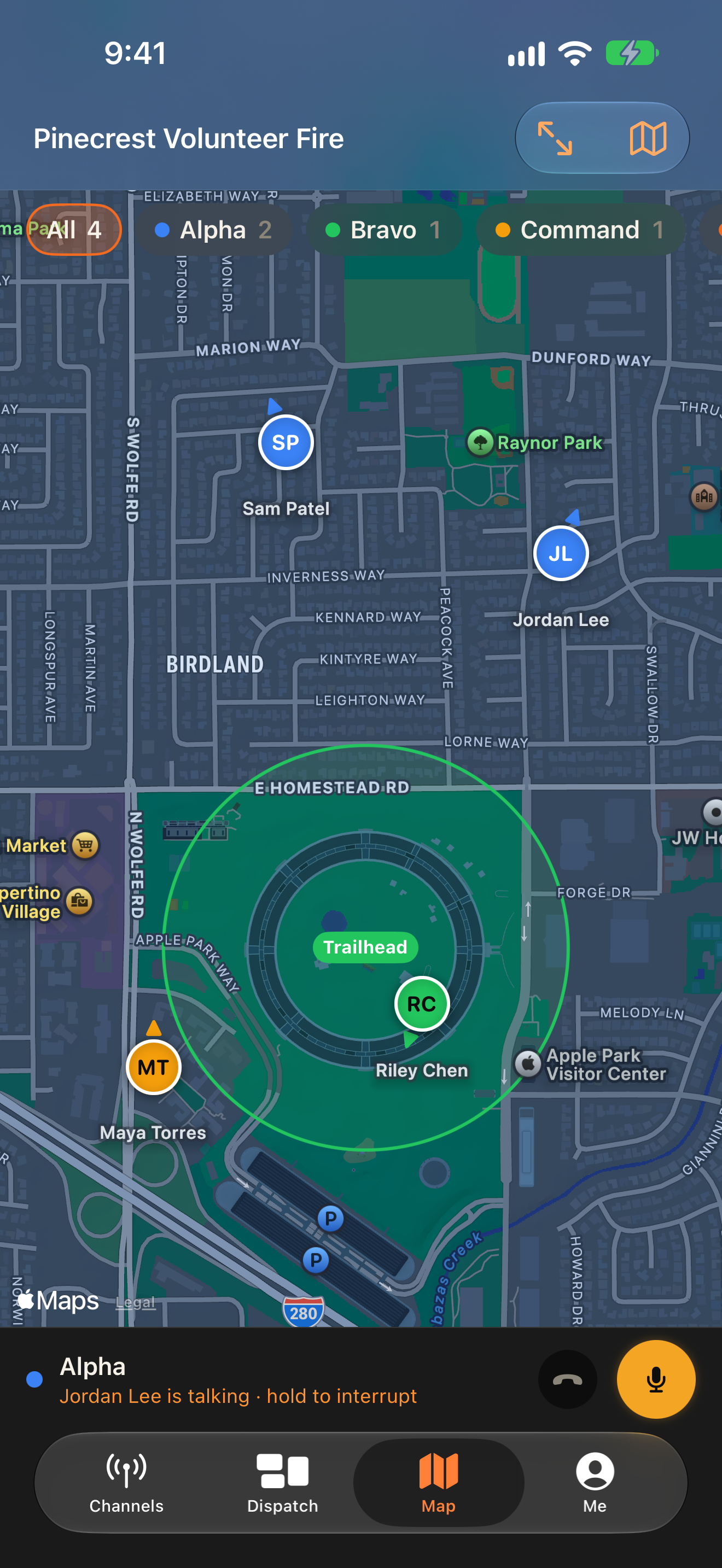
Know where everyone stands.
With FieVol Pro, see the latest positions teammates choose to share. Each member chooses sharing by group, while team channels and roles control who can see them. Zones help move people to the right team as work shifts.
✓Set sharing for each group in Me → Location
✓Visible to same-channel teammates and authorized coordinators
✓Zones that can change team assignments
03 / LEAD THE WORK
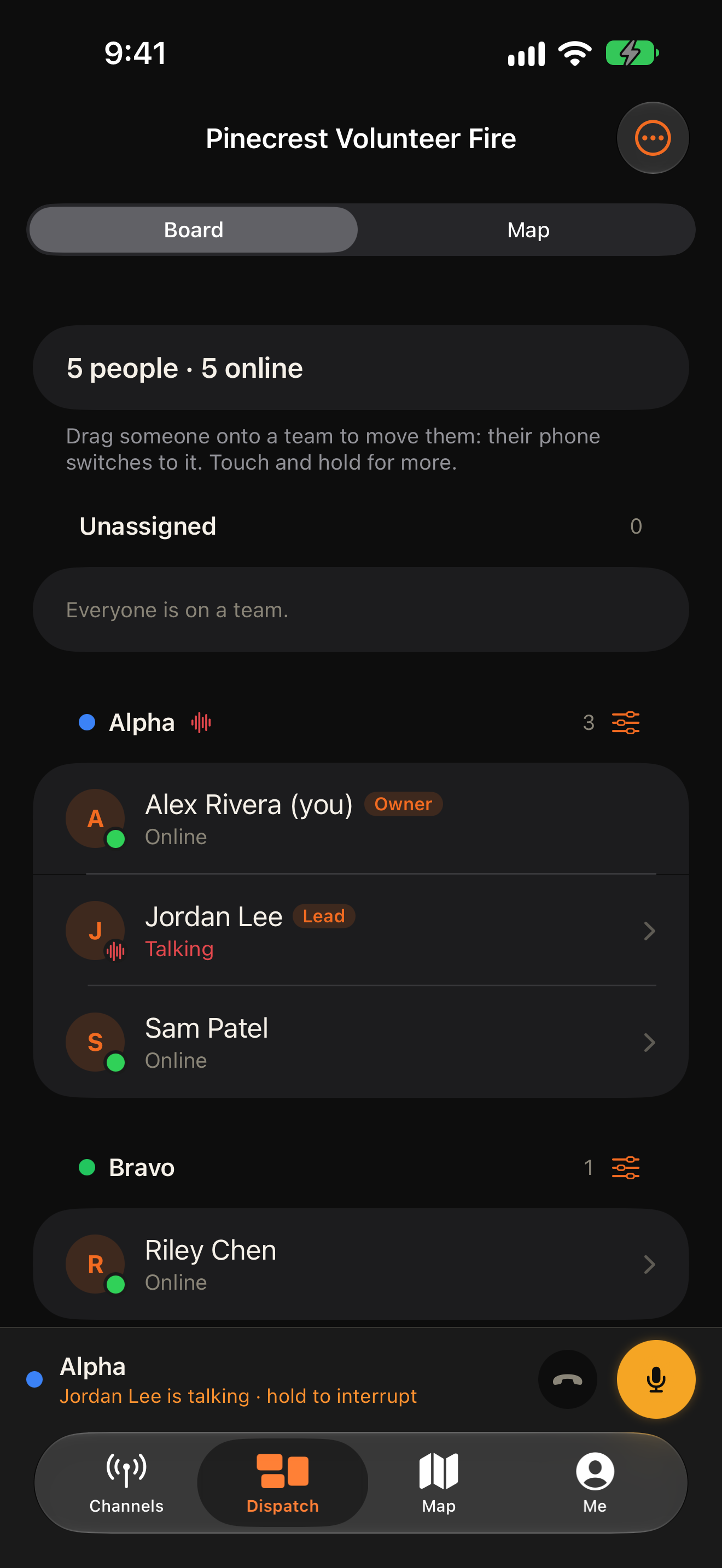
Connect the desk to the field.
From a desktop browser, coordinators can see who is online, who is talking and where teams are working. Move someone on the board and their field app follows the change.
Set sharing in Me → Location for each group. Tap the Sharing control above the tabs to stop at any time.
02
Access follows your channel and role.
Members tuned to your channel and authorized owners, admins and dispatchers can see your latest position.
03
One position, no trail.
Only your latest position is kept and it is removed when sharing stops. Sharing pauses after 12 hours by default.
04
Live voice stays live.
FieVol relays transmissions without storing what anyone says.
Ready when your team is
Take FieVol into the field.
Create your account on the web, then use the mobile app for channels, push to talk and the map. Desktop dispatch helps coordinators keep up with the team.
Create a free account Mobile download link coming at launch. More platforms are planned.